01
My Location
See your current point, mapped address and location details in one result.
Use your device location to see the point you are standing at, the nearest available address and coordinates you can copy or share.
Your browser will ask before sharing the location reported by your device. If you allow it, the map moves to that point and the available address details appear below.
Before you continue: if you allow location access, your precise coordinates are used to show the requested result and may be sent through our secure endpoint to the configured geocoding provider to return an address. They are not published automatically. Privacy details.
Press the button to request your current location.
Accuracy is the estimated uncertainty reported by your device. Buildings, hardware and privacy settings can change the result.
Find your location, explore nearby places, work with coordinates and open directions from one fast, organized dashboard.
See your current point, mapped address and location details in one result.
Search useful places around your current position and sort them by distance.
Find, convert and measure coordinates with the site's dedicated map tools.
Find nearby transit and parking points, then open directions in Google Maps.
Select a nearby-place category to search.
Distances shown here are straight-line estimates. Google Maps calculates the actual route, travel time and available travel modes after you open directions. Nearby-place data depends on the configured map data provider and may be incomplete or out of date.
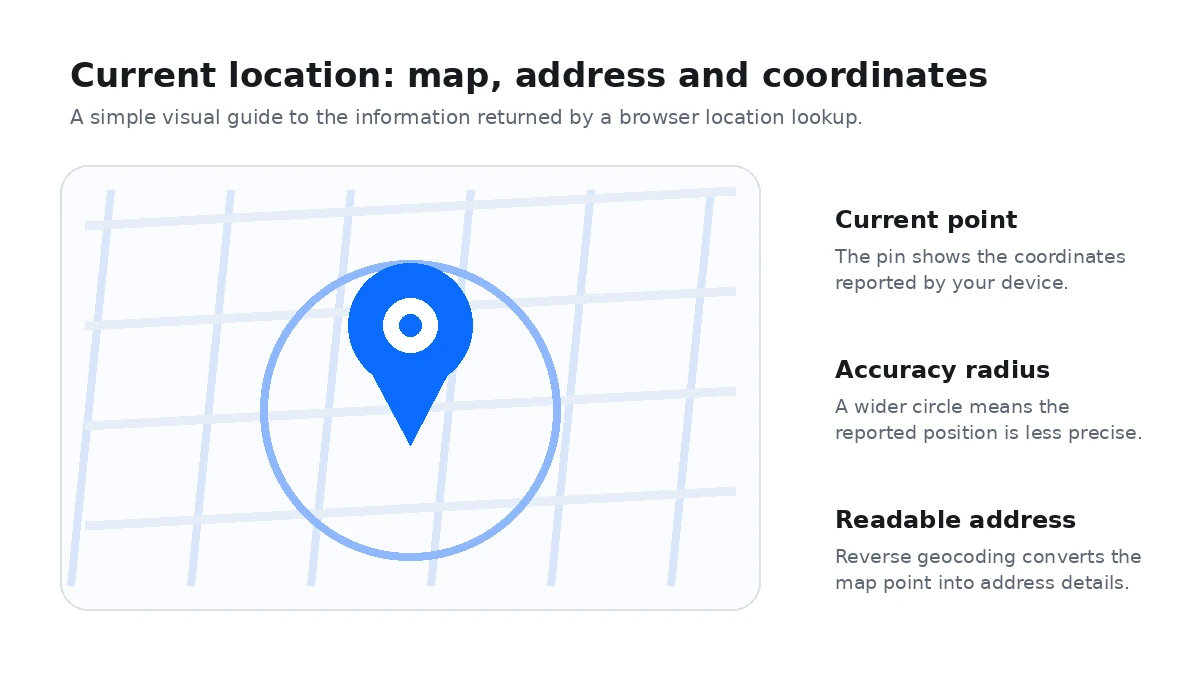
My Location Tool uses the location permission built into your browser to show the position reported by your device. When you choose Find My Location, you can review the map pin, latitude and longitude, nearby address details and the accuracy value returned by the browser.
Location accuracy changes with the device and surroundings. A phone with a clear view of the sky can often provide a tighter result than a desktop computer or a phone deep inside a building. The accuracy figure helps you judge how close the reported point may be to your actual position.
The result is separated into practical fields so you can copy only what you need: address, city or locality, region, postal code, decimal coordinates and DMS coordinates. If your device provides additional sensor data, the page can also show values such as altitude or direction.
Your browser asks for permission before precise location data is made available to the page. The site does not publish your position automatically. Sharing or copying a location happens only after you choose the relevant action.
Select Find My Location and allow location access when your browser asks. The page will place a pin at the position reported by your device and show available address and coordinate details.
Accuracy depends on your device, GPS availability, nearby buildings, Wi-Fi signals and browser settings. The accuracy value shown with the result is the browser’s estimate of how precise the reported position is.
Yes. Granting browser location permission lets the page calculate your result, but it does not create a public post. You decide whether to copy or share any location information.
An address is a human-readable description of a place. GPS coordinates describe the same point numerically using latitude and longitude, which is useful for maps, navigation and field work.
The street address is matched from map data after your coordinates are found. Near building entrances, large properties or incomplete map coverage, the nearest mapped address may differ slightly from your exact position.
Yes. Modern phones, tablets and computers can use browser geolocation when location services and site permissions are enabled. Phones usually provide the most precise results when GPS is available.