Convert between the coordinate formats you actually use
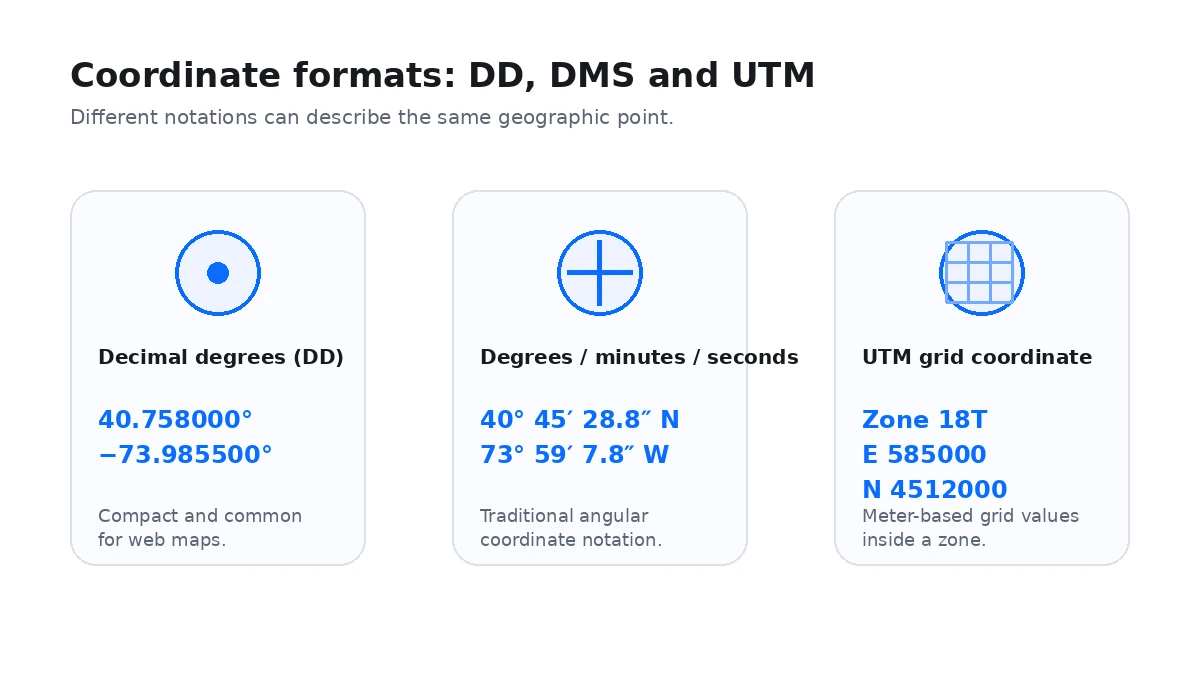
The converter supports decimal degrees (DD), degrees-minutes-seconds (DMS), degrees and decimal minutes (DDM), and Universal Transverse Mercator (UTM). Enter the source value carefully, run the conversion and compare the mapped point before copying the output into another system.
DD, DMS and DDM describe the same latitude-longitude position
Decimal degrees are compact and work well with web maps, spreadsheets and APIs. DMS divides a degree into minutes and seconds. DDM keeps degrees and minutes but expresses the remaining fraction as decimal minutes. A correctly converted coordinate should identify the same location even though its notation changes.
UTM is a projected grid, not another way of writing degrees
UTM divides much of the world into numbered zones and expresses position with easting and northing values measured in meters. A complete UTM result needs the correct zone and hemisphere context. Do not remove those parts when sharing a UTM coordinate.
Keep negative signs and hemisphere letters consistent
South and west are represented by negative values in signed decimal degrees. In DMS or DDM, the hemisphere letter carries that direction. Accidentally dropping a minus sign or replacing W with E can place the result on the opposite side of the globe.
Use the map as a conversion sanity check
After converting, inspect the point on the map and compare it with the expected city, road, coastline or landmark. This simple check catches many formatting mistakes before a coordinate is pasted into navigation, GIS or field documentation.
Conversion calculations stay in the browser
The numeric conversion itself does not require an address search. If you use map or address lookup features around the converted point, the configured map or geocoding provider may receive the requests needed to display that information. See the Privacy Policy for details.