Plan a route with addresses, places or coordinates
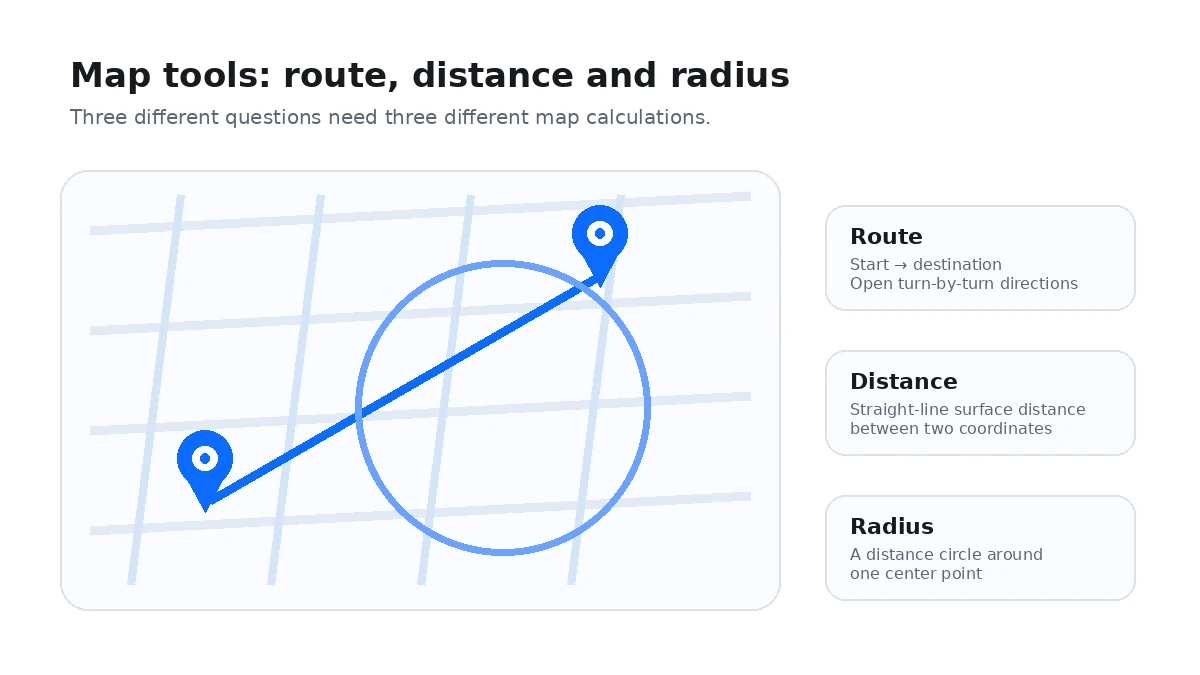
Enter a starting point and destination as an address, place name or latitude-longitude pair. You can also use the browser-reported current location for either endpoint. The map lets you verify that both markers represent the places you intended before opening directions.
The preview distance is a geographic comparison
The tool calculates the straight-line great-circle distance between the resolved endpoints and shows an initial bearing. That value is useful for orientation, but it is not the same as road distance, walking distance or travel time.
Turn-by-turn routing opens in the external map service
After both endpoints are ready, use the directions action to open them in Google Maps. The external routing service can then account for its available road network, one-way streets, bridges, ferries, closures, travel mode and other routing rules that a straight-line preview cannot model.
Coordinates are useful when an address is missing
Remote trailheads, field sites, rural entrances and temporary meeting points may not have a reliable street address. A valid coordinate pair can identify the intended map position more directly, provided the coordinate was collected accurately.
Check endpoint accuracy before starting a trip
Geocoding can return a city center, building centroid or nearby road when an address is ambiguous. Inspect both pins before opening navigation, especially when the destination is a large property, industrial site, park or rural location.
Do not use this page as an emergency routing system
Road availability and conditions can change, and this site does not provide emergency dispatch or guaranteed live traffic data. Follow official emergency instructions and the routing provider’s current warnings when safety is involved.